The board
A board is an infinite canvas. There is no page size to pick: drop a device frame where you want it, put another one next to it, and keep going.
Moving around
| Action | Mac | iPad & iPhone |
|---|---|---|
| Zoom in · out | ⌘ = ⌘ − | Pinch |
| Zoom with a mouse | ⌥ scroll | — |
| Actual size | ⌘ 0 | Pinch — the zoom level shows while you pinch |
| Pan | Scroll ⌘ arrows | Drag empty space |
| Jump somewhere | Tap the minimap | Tap the minimap |
Zoom runs from 10% to 600%. A board you open for the first time is fitted to its content; after that it opens where you left it.
Grid and guides
- Show grid: the grid follows the zoom level, so it is always readable and never in the way.
- Snapping & guides, in Settings: drag anything and it snaps to the edges, centres and equal spacing of what is around it, Figma-style. Nudge with the arrow keys and the same guides light up. Hold ⌘ to skip the snapping for one drag.
Appearance and tint
- A board is light, or dark when its template is. Every colour in MockApp is a pair, so text, fills and mockup parts follow whenever something switches; photos and anything you painted with a fixed colour stay as they are.
- One screen at a time: Edit › Switch to Dark Mode in the menu flips just the selection, so both appearances can sit side by side.
- New elements read on the board: paint the background dark and what you add from then on arrives in dark.
- Tint recolours every accent on the board — buttons, badges, toggles, links. Background is the colour of the board itself.
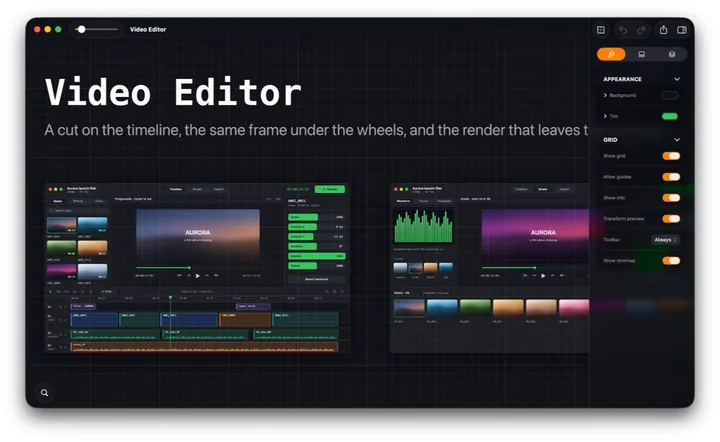
Board settings
With nothing selected, the Design tab of the inspector shows the board itself.
| Setting | What it does |
|---|---|
| Show info | Shows width × height while you resize and the angle while you rotate. |
| Transform preview | Keeps a faint ghost of a photo's original while you resize or rotate it, at 100% zoom or above. |
| Toolbar | The small toolbar next to the selection: Off, Auto (hides while you work) or Always. |
| Show minimap | The overview in the corner. Tap a spot on it and the board goes there. |
One board, one file
- Recents shows every board you work on, wherever the file lives — the MockApp folder in iCloud Drive, or any folder you opened it from or, on the Mac, saved it to. Open, rename, duplicate or delete them from there.
- A board saves itself as you work — there is no Save you have to remember. Undo goes all the way back to when you opened it.
- Each board is one .mockapp package: send the file to someone with the app and they get the real, editable board.