Templates & import
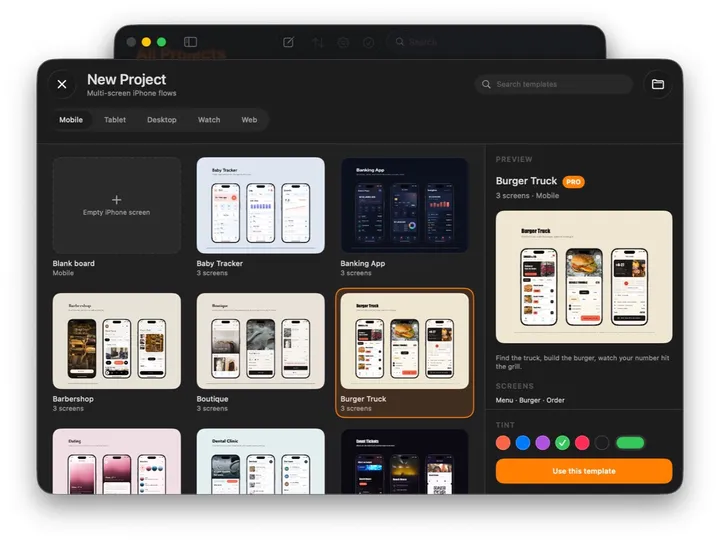
New Board opens the wizard: a category, then a template or a blank board. Import from Files sits in the same place, for boards and designs you already have.
The wizard
- Seven categories — Mobile, Foldable, Tablet, Desktop, Watch, Web and App Store — and over a hundred templates. Each one is a small product: real photography, a caption, built the same way you would build it.
- Search at the top looks across all the categories at once.
- Pick a tint in the detail panel and the whole template recolours before it is created.
- One template in each category is free, marked FREE and listed right after the blank board; the rest come with Pro. A blank board is completely empty and always free.
- On the Mac the board is created where you save it: the save panel opens in the folder you used last. On iPhone and iPad it goes to iCloud Drive › MockApp.
Taking a template apart
- Tap a screen, then tap in. Each screen is a device frame, a window or a page; everything inside is pinned, so it can be resized to another device.
- Duplicate a screen (⌘D, or the menu) to make the next one in the flow, then change what differs.
- Open Layers to see the structure; switch the appearance to see the dark version.
Import from Files
| Format | What you get |
|---|---|
| .mockapp | The board, opened where it is — a project folder, the Desktop, Files — not copied; your edits save into that file. From Mail or AirDrop it comes in as a copy. |
| Pixara (.pixd, .pix) | A Pixara document opened as a board. |
| SVG | Editable vectors — paths, fills and text — from files up to 2 MB. |
| One image per page, up to 100 pages, on one board. | |
| Image | A board with the picture on it, ready to trace or annotate. |
Import from Files… is in the wizard; on the Mac, File › Open (⌘O) does the same.