
Switch to Prototype
Design | Prototype sits in the top bar, ⌘2 on a keyboard. The links show; your design stays as it is.
Link buttons to screens, press Play and tap through your design
like it’s the real app. Then share the flow as a video.
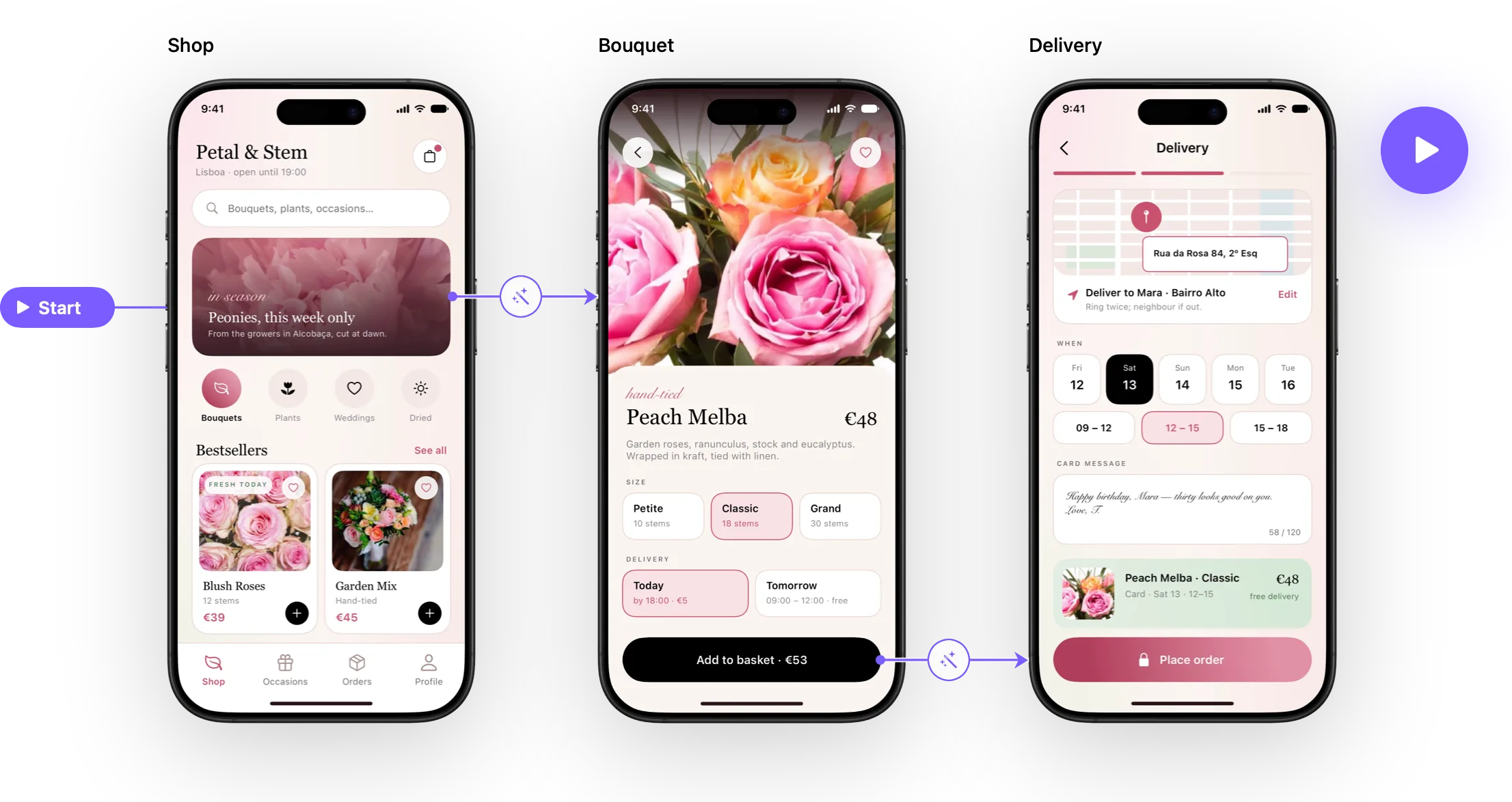
Every template comes linked already: open one, switch to Prototype and press Play.
Design | Prototype sits in the top bar, ⌘2 on a keyboard. The links show; your design stays as it is.

Drag the arrow beside a selected element onto a screen, or tap the arrow to pick one from a list.

Morph, Push, Move, Slide, Dissolve or Instant. Then the speed and the feel.

Tap through it like the real app. Play starts where the Start arrow points.
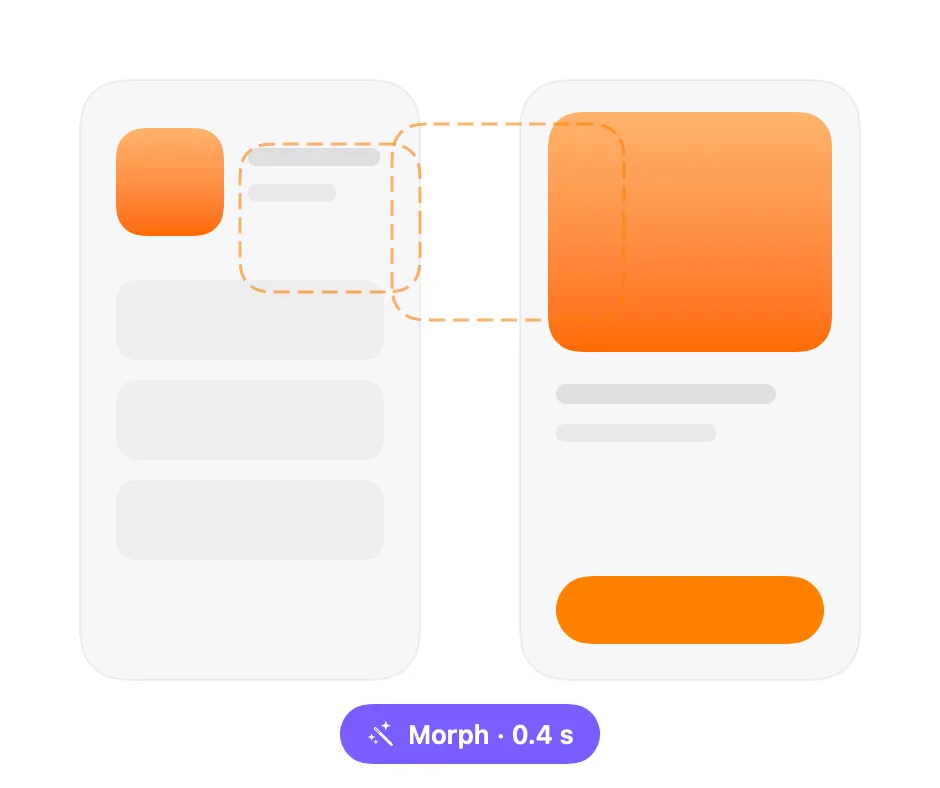
What two screens share moves, resizes and changes colour between them. Duplicate a screen, change the copy, and link the two with Morph.
New state. A tab, a toggle or a segmented control that changes on a tap is a new state of its screen, so Back skips it.
Morph Together. Pair any two elements by hand, whatever they are called.
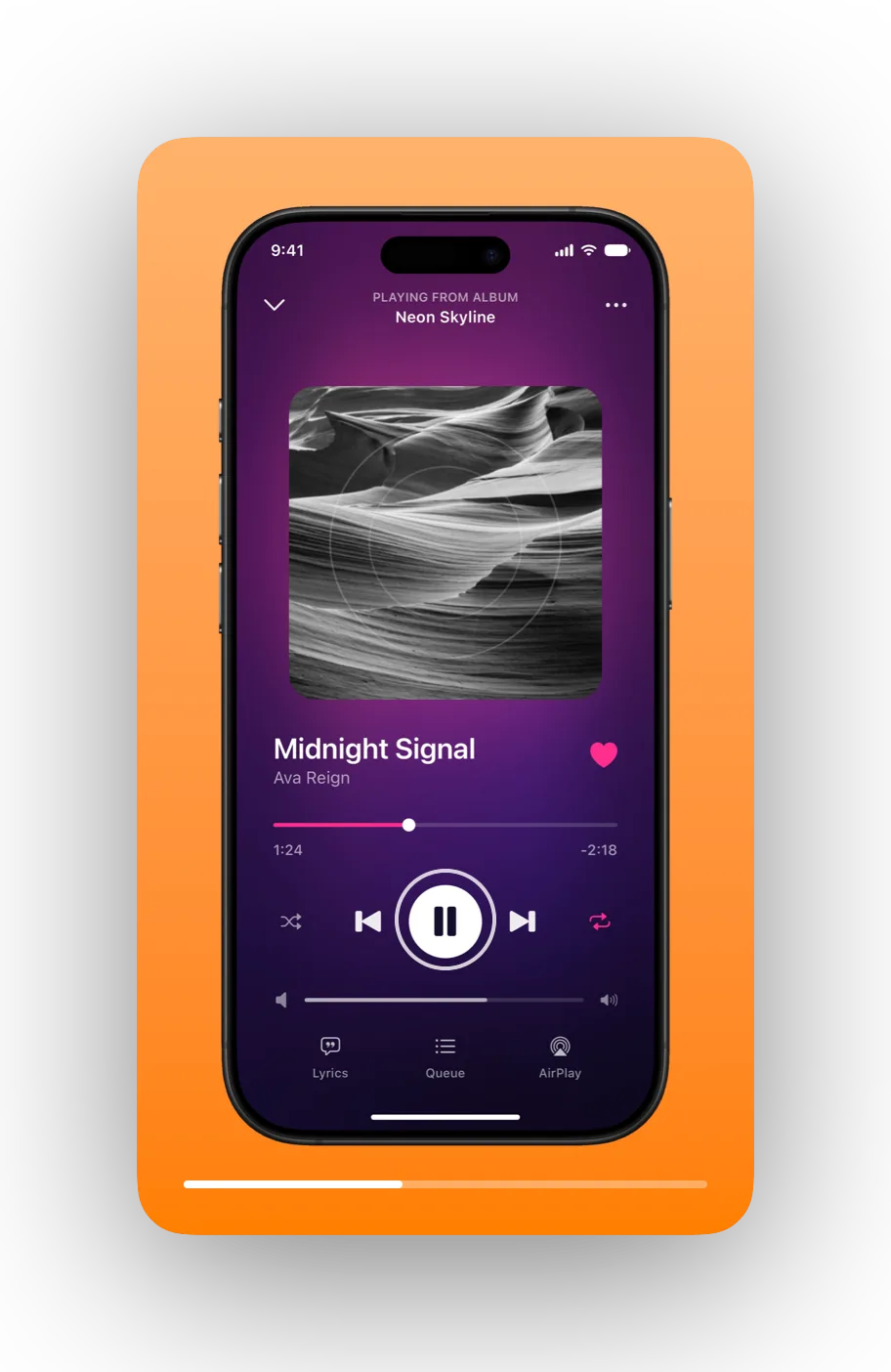
Export › Video plays the flow on its own, taps and all, on a backdrop in your board’s colour: an MP4 at 1080p and 60 fps, ready for a post.

Anyone can switch to Prototype and see the links. Making links, Play and video come with Pro.

An AI app connected to MockApp can link screens and export the video, just like you.

Every template is a working prototype. Open one, press Play and tap through it.